The NFC Key Tag gifted to you from the BMW Group + QUT Design Academy is yours to keep. The NFC is currently blank, however it’s quick and easy to set-up.
To edit or create a new link for to your NFC key tag, follow the same steps listed here. You can change the link as many times as you like.
#1 - Download
Download and install the free NFC Tools app from either the Apple Store (Apple iOS) or the Google Play Store (Android)
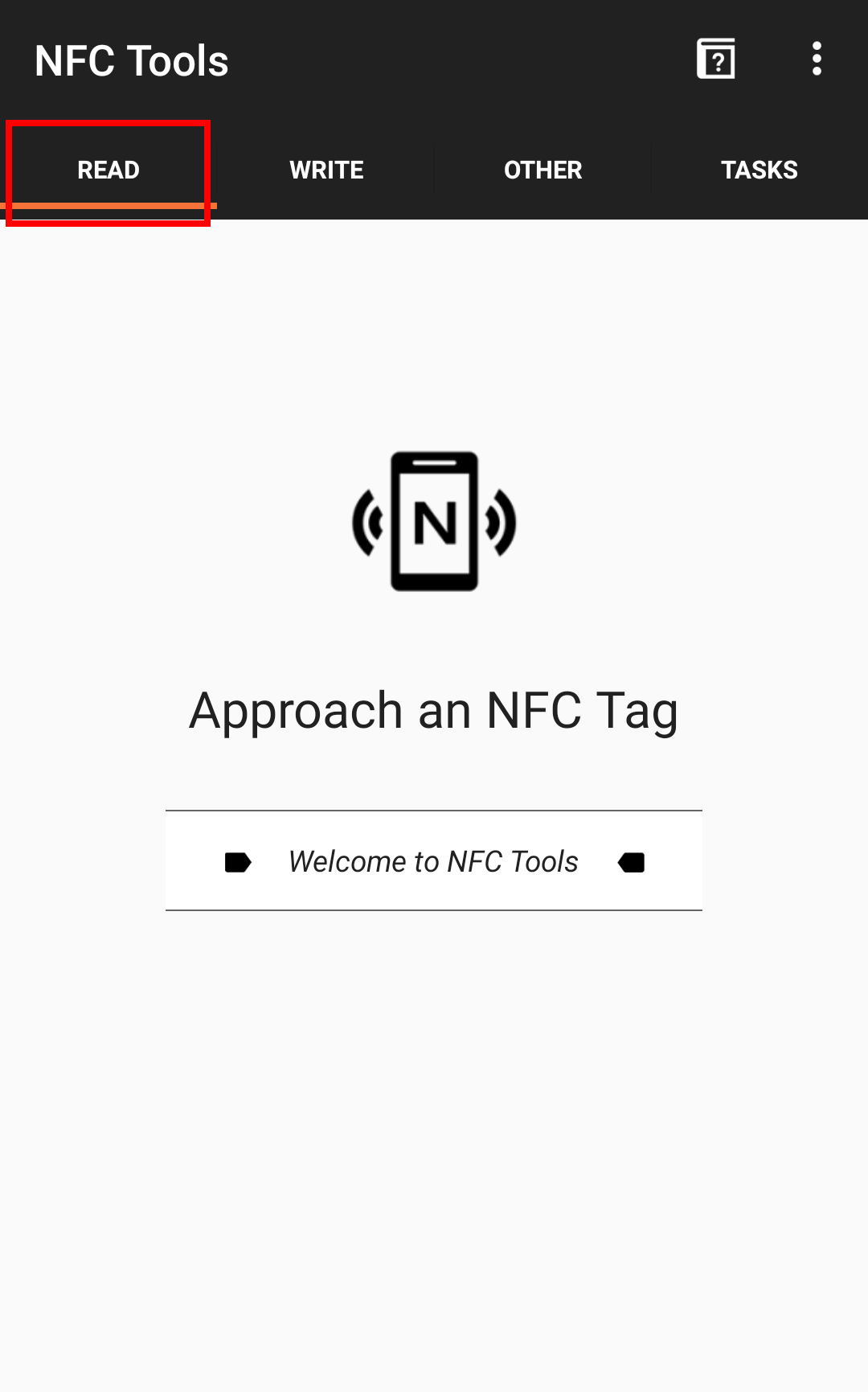
#2 - READ
Open the app and make sure you are on the Read tab. Tap your phone on your NFC key tag
#3 - WRITE
Tap on the Write tab, then tap Add Record
#4 - ADD RECORD
Select the type of link you want to add to your NFC tag from the list of options. Note that your link or file must not exceed the storage capacity of the NFC tag.
#5 - ENTER
Enter your link (e.g. a website URL), then tap Okay
#6 - WRITE
Once the link has been added to the record, tap on Write
#7 - ACTIVATE
You will be prompted to tap your phone on your NFC key tag once more – this is what activates the NFC tag with your personal link that you just added.
#8 - CONFIRM
That’s it! Your NFC Key Tag is now set up. When your phone, or someone else’s phone, is tapped on the NFC key tag it will take you to the link you entered.